

Apply for Citizenship

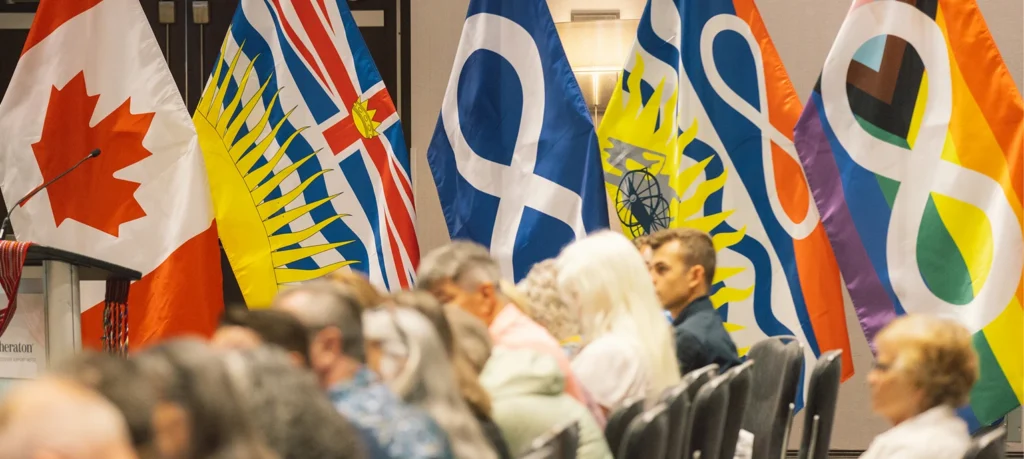
A group of people are sitting in rows of chairs at an event in front of a row of flags. The flags displayed are the Canadian flag, the flag of British Columbia, the Métis flag, a combined British Columbia and Métis flag, and a Pride Métis flag.

Your Journey to MNBC Citizenship

You don’t need to travel alone. We’re thrilled to support you in your journey towards Citizenship. Becoming an MNBC Citizen means joining a proud and growing Nation, strengthening MNBC’s efforts to advocate for our Section 35 rights, and being eligible for MNBC programs and services.

There are three ways to submit your Citizenship application. Which is right for you?

The MétisHub

The Métis Hub is your online portal to Citizenship applications, application status updates, and renewals. Citizens can also use the Métis Hub to apply for Métis Veterans BC and the Harvester card.

Apply by Email

Apply via email by filling out the Citizenship Application and sending the completed form and required documents to citizenship@mnbc.ca. Please note all attachments must be sent as PDFs, JPGs, or PNGs.

Apply by Mail

Paper applications can be mailed to MNBC Headquarters. Please take care not to send us your original documents—we will gladly accept copies.

Ministry of Citizenship
380-13401 108 Ave
Surrey, BC V3T 5T3

Please note that old design Renewal forms will not be accepted after July 1, 2026, while old design Application forms will not be accepted after November 1, 2026. It is easy to check if a form is the most up-to-date version: there is now a colourful image header on the first page.

Once signed up, you’ll be able to:

  • Apply for Citizenship for yourself, or children under 19
  • Save an in-progress application and come back to complete it later
  • Check the status of your application, and upload additional supporting documents if needed
  • Renew your Citizenship card
  • Update your personal information
  • View and download your digital Citizenship card
  • Apply to Métis Veterans BC
  • Apply for or renew your Harvester card
    • Harvester cards and the Harvester Survey are supported by the British Columbia Métis Assembly of Natural Resources (BCMANR). For all inquiries regarding harvesting, please contact harvesters@mnbc.ca.
How to Sign Up for the Métis Hub Open icon
  1. Click on Create an account.
    • Select your User Type.
    • If you are an existing Citizen, choose Citizen.
    • If you have recently applied and have already connected with a Citizenship Navigator, choose Have Applied.
  2. If you have not yet applied through the Métis Hub, choose Have Not Applied.
  3. Enter a unique username.
  4. Enter your complete legal first, middle, and last name(s).
  5. If your last name changed when you were married, enter your last name at birth under Maiden Name.
  6. Enter your email address.
  7. Enter your date of birth and city of birth. This must match your birth certificate.
  8. Choose a unique password with a mix of letters, numbers, and symbols.
  9. Re-enter your chosen password to confirm it.
  10. Click I Accept the Terms and Conditions, then click Submit.
Support with Creating Your Account Open icon
  1. Email address already in use:
    • Some families share email addresses, but the email address can only be linked to one Métis Hub account
      • Solution: Use a different email address
    • An account was created in the past, but the information was forgotten.
  2. We were unable to validate the input error:
    • The text on the error will generally tell you what information was incorrect
      • Solution: Enter the information as you provided on your application
      • Solution: Contact citizenship@mnbc.ca
  3. Forgotten password
    • Solution: Click Forgot Password? and enter the email address associated with your account. Be sure you check your spam and junk folders.
  4. Forgotten username:
How to Update Your Information on the Métis Hub Open icon
  1. Sign up or sign in to your account.
  2. Click on the Profile icon in the top right corner, then select My Profile.
  3. Click Edit Profile to be able to change the following fields:
    • Phone Number
    • Pronouns
    • Home Address
    • Mailing Address

If you have other information to change, please contact the Ministry of Citizenship.

  1. Click Save Changes at the bottom of the page.
How To Apply for Citizenship on the Métis Hub Open icon
  1. Click on the Citizenship dropdown on the left side of the screen, then click Create Citizenship Application.
  2. Read over Who are the Métis? and click I understand.
  3. Answer the listed questions, then click Next Step.
  4. Enter the required information and upload the required supporting documents.
  5. As of Step 3 on the application, you are able to Save as Draft and return to finish the application later.
  6. The My Métis Family chart can be difficult to complete. If you are unable to, click Next Step.
  7. Read and agree to the Oath of Citizenship.
  8. Read and agree to the Indigenous Services Canada screening, the Privacy Statement, the Declaration, and the Consent.
  9. After completing the application form, a DocuSign site will open and prompt you to review your renewal before signing.
  10. Click Continue, then sign the document in the spots indicated.
  11. Once all the signatures are complete, click Finish.
  12. You will automatically be redirected to the Métis Hub where you can click Submit Application, or Submit and Download if you would like a copy of your form.
  13. To confirm your application was sent, click View Applications on the left side menu and check the status of the application
How to View Your Citizenship Card on the Métis Hub Open icon
  1. Sign up or sign in to your account.
  2. Expand the Citizenship dropdown on the left side of the screen, and click View/Download Card.
  3. Select the Citizen you would like to view from the dropdown menu, then click View Card.
  4. The card can now be downloaded to your device.
How to Renew Your Citizenship Card on the Métis Hub Open icon
  1. Sign up or sign in to your account.
  2. Click on the ellipsis in the Action menu next to the Citizenship application you wish to renew.
  3. The renewal form will automatically populate the Type box with Citizen, and the Citizen box with the name of the application you selected.
    • If there is no name visible and none in the dropdown, please contact the Ministry of Citizenship.
  4. After completing the renewal form, a DocuSign site will open and prompt you to review your renewal before signing.
  5. Click Continue, then sign the document in the spots indicated.
  6. Once all the signatures are complete, click Finish.
  7. You will automatically be redirected to the Métis Hub where you can click Submit Application, or Submit and Download if you would like a copy of your form.
  8. To confirm your renewal was sent, click View Applications on the left side menu and check the status of the application.

Contact Us

You can schedule an appointment with a Citizenship Navigator virtually from anywhere across the province. In-person appointments are currently available at our Surrey or Nanaimo offices. Click below to book your appointment today!

You can also call us at 1-800-940-1150 (press 1 for Citizenship) or email citizenship@mnbc.ca with your availability and we will be happy to assist you.

Mail can be directed to the following address:

Attention: Citizenship  

Métis Nation BC 

380-13401 108 Ave 

Surrey B.C. V3T 5T3

Upcoming Events

Connect with us in person! We offer drop-in info sessions in partnership with Métis Chartered Communities. Receive one-on-one support with your Citizenship application or renewal, update your personal information, learn about the Métis Hub, and more. Plus, enter to win a copy of “Connecting to Heritage: A Beginner’s Guide to Métis Genealogical Research” created by our Ministry of Culture, Heritage and Language. Snacks are provided.

Has your Citizenship card expired? Renew your Citizenship on the Métis Hub for a quick and easy experience.
You can also submit a renewal by completing the Renewal Form and emailing it to citizenship@mnbc.ca or mailing it to MNBC Headquarters.

If your card was lost or stolen, or you need to update any information that appears on your card (Name, Date of Birth, Address), contact the Ministry of Citizenship at citizenship@mnbc.ca.


In times of loss it’s important to come together with support and understanding. We know that navigating such moments can be challenging, which is why we’ve established protocols to notify the Ministry of Citizenship of a loved one’s passing with respect and care. 

The purpose of the protocol is to verify the death of a Citizen, to maintain the Citizenship Registry accurately, and to balance kindness for the next of kin or person reporting the death.  

We will require a copy of the death certificate from Vital Statistics, the name of the person reporting the death and their relationship to the citizen. Once the death certificate is obtained, anyone can report. Please email the certificate to citizenship@mnbc.ca or mail to MNBC Head Office: #380 – 13401 108 Ave, Surrey, B.C., V3T 5T3. 

Let’s support one another during these challenging times. Together, we can uphold the values of compassion and solidarity that define our community. Should you have any questions or require assistance, please don’t hesitate to reach out to us at citizenship@mnbc.ca. We’re here for you every step of the way.  

If you or anyone you know needs support, please call the Métis Crisis Line, available 24/7, at 1-833-Metis-BC (1-833-638-4722).


Do I need all of the supporting documents listed to apply? I don’t know where to find them. Open icon

You can apply with a completed application form and as many of the supporting documents you can find. From there, a Citizenship Navigator will reach out to help guide you through acquiring the rest. We are here to help.

How do I complete the Métis Family Chart? Open icon

Completing the Métis Family Chart is like creating a map to your ancestors. Fill out the names and dates to the best of your ability, and once a Citizenship Navigator is assigned to your file, they can assist you with completing the chart.

Do Citizenship Cards expire? Open icon

Yes, Citizenship Cards expire every five years and it’s important to fill out a renewal application to keep them up to date. Citizens who are minors (18 and younger) are required to renew their Card upon turning 19 and then every five years.

What is the Métis Hub? Open icon

The Métis Hub is your one-stop-shop for Citizenship applications and information management,! Start your online journey today.

How much genealogy do I need to provide? Open icon

We are glad to hear that you’re excited about your family history! All we need is a completed family chart (included with the application), parental information birth certificates for all Métis ancestors born after 1901, and we will take care of the rest. There’s no need to send along publicly available documents—our Citizenship research team will find them!

I’m a social worker or guardian with a minor child in my care. Can I apply for their Citizenship? Open icon

As the legal guardian of a child, we encourage you to apply for their Citizenship. Citizens are eligible for programs and services that will support those in your care. Just fill out the Citizenship application to the best of your ability, and we will contact you with next steps once we receive the application.

What are the timelines for application processing? Open icon

 Check out Your Journey to Citizenship for more information!